Team
2 Frontend Developers
2 Backend Developers
1 Innovator / Product Owner
My Role
UX/UI Design
User Research
Scrum Master
Project Manager
Duration
Jan 2024 – May 2025
Don't have time to read?
Here is a TL;dR version!
Students were juggling too many tools and still not retaining anything. As UX lead and scrum master, I took HADA from research through MVP and a full solo redesign with 40+ usability tests, 60+ components, and a product that shipped on time.
Result: 2.5x better memory retention, 91% task success rate, and 92% of users wanting to ditch their current flashcard app.
Background and Problem
Despite the rise of digital learning tools, students still struggle with fragmented study experiences.
They jump between multiple platforms (flashcards, notes apps, language tools) just to prepare for one class. Most existing tools prioritize rote memorization, offer little personalization, and do little to keep learners motivated long-term.
Most learners today:
Switch between 2–4 different apps per class
Rely on tools for memorization, not understanding
Lose motivation due to lack of feedback and progress tracking
Our early interviews revealed that 73% of students felt overwhelmed by their current mix of study tools.
HADA was created to address this problem by offering a single, context-driven, one-stop-shop flashcard system that prioritizes mastery instead of repetition.
But... What Is HADA?
HADA is a research-backed flashcard learning application designed to help students retain information more effectively.
Core promise: help students study less while remembering more.
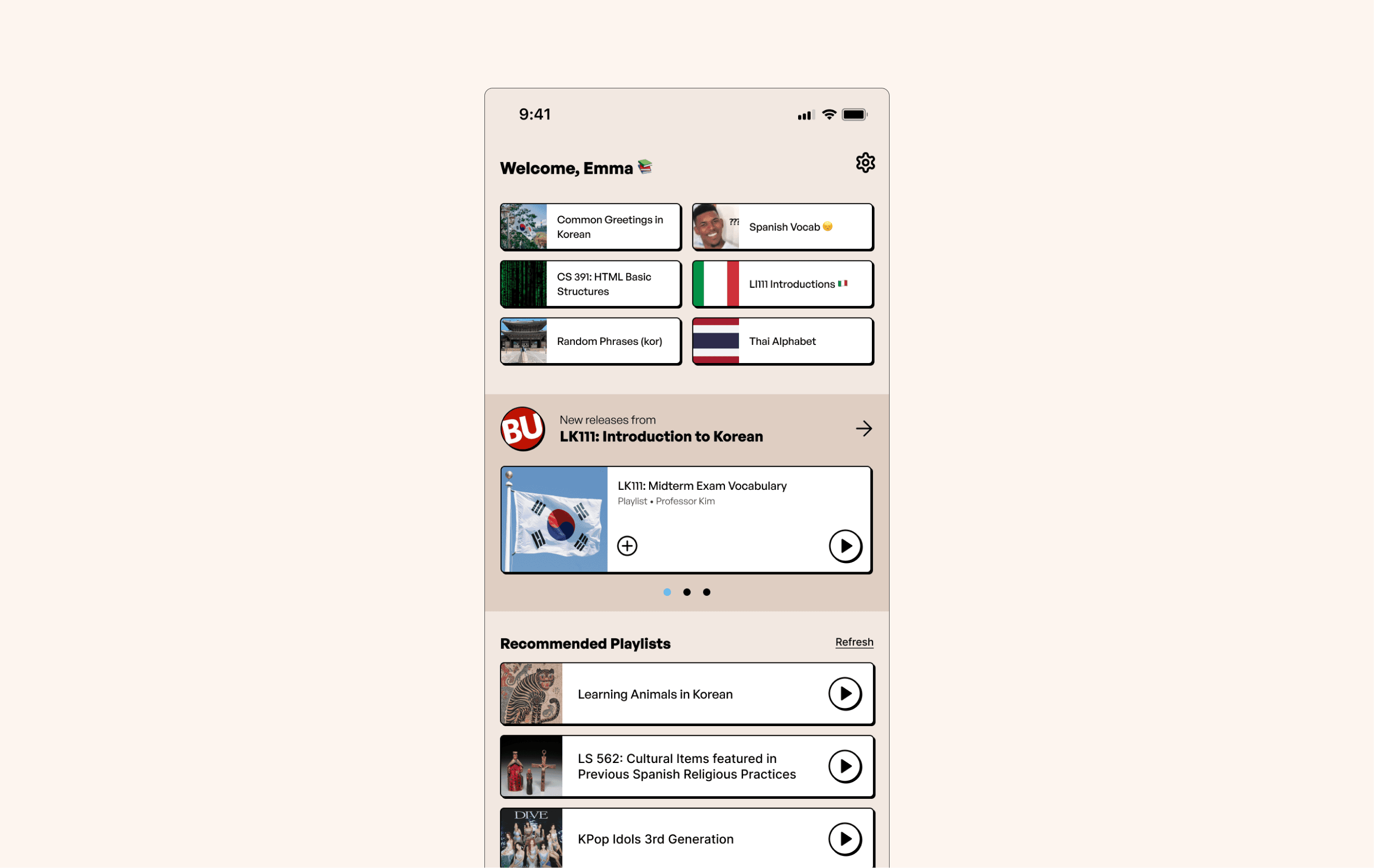
Home Page (Mobile)
Role n' Goal
So what was my part in HADA?
Throughout the project, I:
Led End-to-End Research Initiatives
Conducted 40+ usability tests across the project lifecycle
Ran 8 A/B tests on study flows and layouts
Increased task completion rate from 64% → 91% after design iterations
Created Brand Guidelines
Developed a visual system rated “more engaging than competitors” by 85% of testers
Managed Agile Workflows
Planned and executed 14 weekly sprints
Reduced feature backlog by 35% through better prioritization
Delivered MVP on schedule with 100% of core features implemented
Built a Scalable Component Library
Designed 60+ reusable components
Reduced developer UI implementation time by an estimated 30%
Understanding the Problem Space
Listening to Students First
Before designing anything, we validated the problem directly with users.
Initial Interviews: 10 BU Students
Key takeaways:
Existing tools lacked personal context
Interfaces felt outdated or overwhelming
No motivation mechanisms
80% of early participants reported abandoning traditional flashcard apps within one semester.
Deeper User Research
We expanded our research to understand needs at scale.
Research Participants
25 BU Students
5 University Professors
Weekly testing cohort of 30+ beta users
What we learned:
88%
wanted deeper customization
76%
said context examples would improve memory
63%
felt current tools lacked motivation features
80%
of early participants reported abandoning traditional flashcard apps within one semester
Competitive Landscape
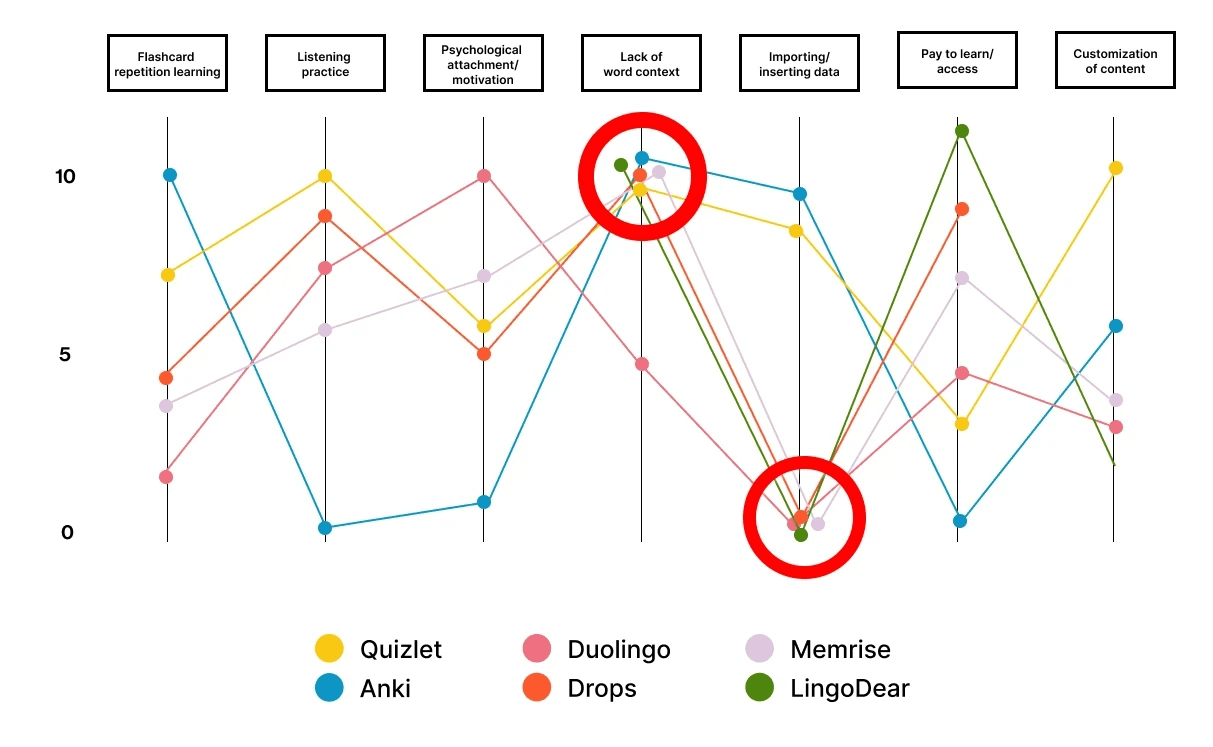
We analyzed major learning platforms:
What we learned:
Duolingo | Market Leader - Language Learning
•
Strengths: Strong gamification, large user base (500M+ users), effective streak system
•
Weaknesses: Limited to pre-built content, no personal content import, rigid learning paths
Anki | Power User Favorite
•
Strengths: Highly customizable, supports any content type, advanced spaced repetition
•
Weaknesses: Steep learning curve, outdated UI, no social features
Quizlet | Study Tool Focus
•
Strengths: Easy content creation, multiple study modes, large content library
•
Weaknesses: Limited spaced repetition, subscription-heavy model, no contextual learning
Drops | Visual Learning
•
Strengths: Beautiful visual design, quick 5-minute sessions
•
Weaknesses: Very limited free content, no sentence/context learning
Memrise | Video-Based Learning
•
Strengths: Real-world video content, native speaker integration
•
Weaknesses: Limited to language learning, no personal content support
Lingodeer | Asian Language Specialist
•
Strengths: Strong grammar explanations, culturally relevant content
•
Weaknesses: Limited language selection, weak community features
❌
All competitors lacked users being able to customize their content and add context to the information they were learning.
Feature Planning
let's be realistic, what could we do within our given timeframe?
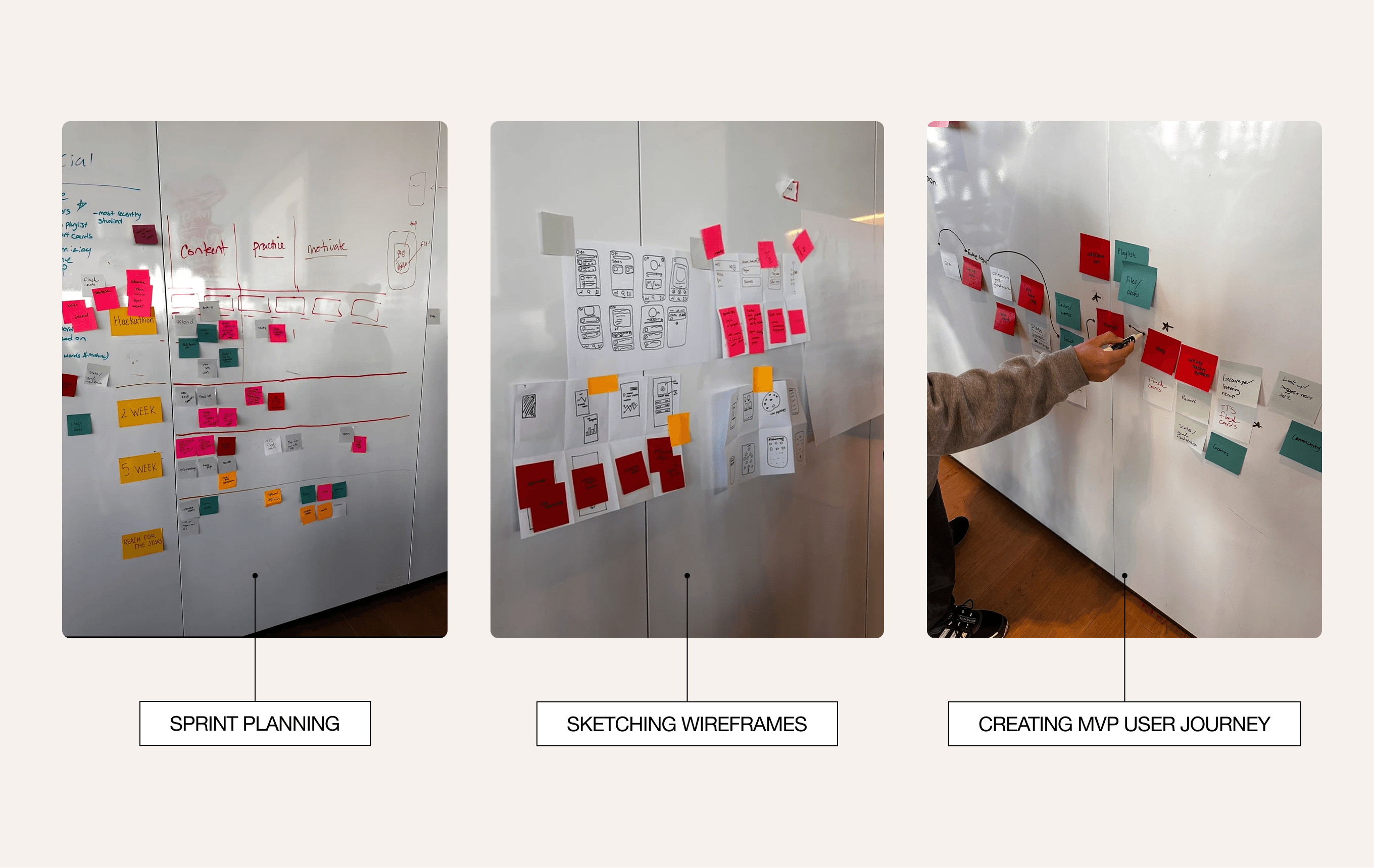
With strong foundational insights from our research phase, we moved into planning by whiteboarding the full user journey and identifying core actions necessary for value delivery.
Phase 1: Whiteboarding
We experimented with a neutral palette and a distinct cell-based layout to organize content in a clear and modular way.
The design emphasized cleanliness, readability, and familiarity, aiming to feel trustworthy and professional.
✅
OUR TEAM WAS ABLE TO FULLY VISUALIZE WHAT FEATURES NEEDED PRIORITY DESIGNS AND DEVELOPMENT IN ORDER TO CREATE OUR IDEAL FUNCTIONING MVP
Phase 2: Brand identity
Because of the tight schedule, I adjusted my usual workflow and prioritized creating a fully fleshed-out design system earlier than normal, giving engineers a clear visual and component framework to start building right away.
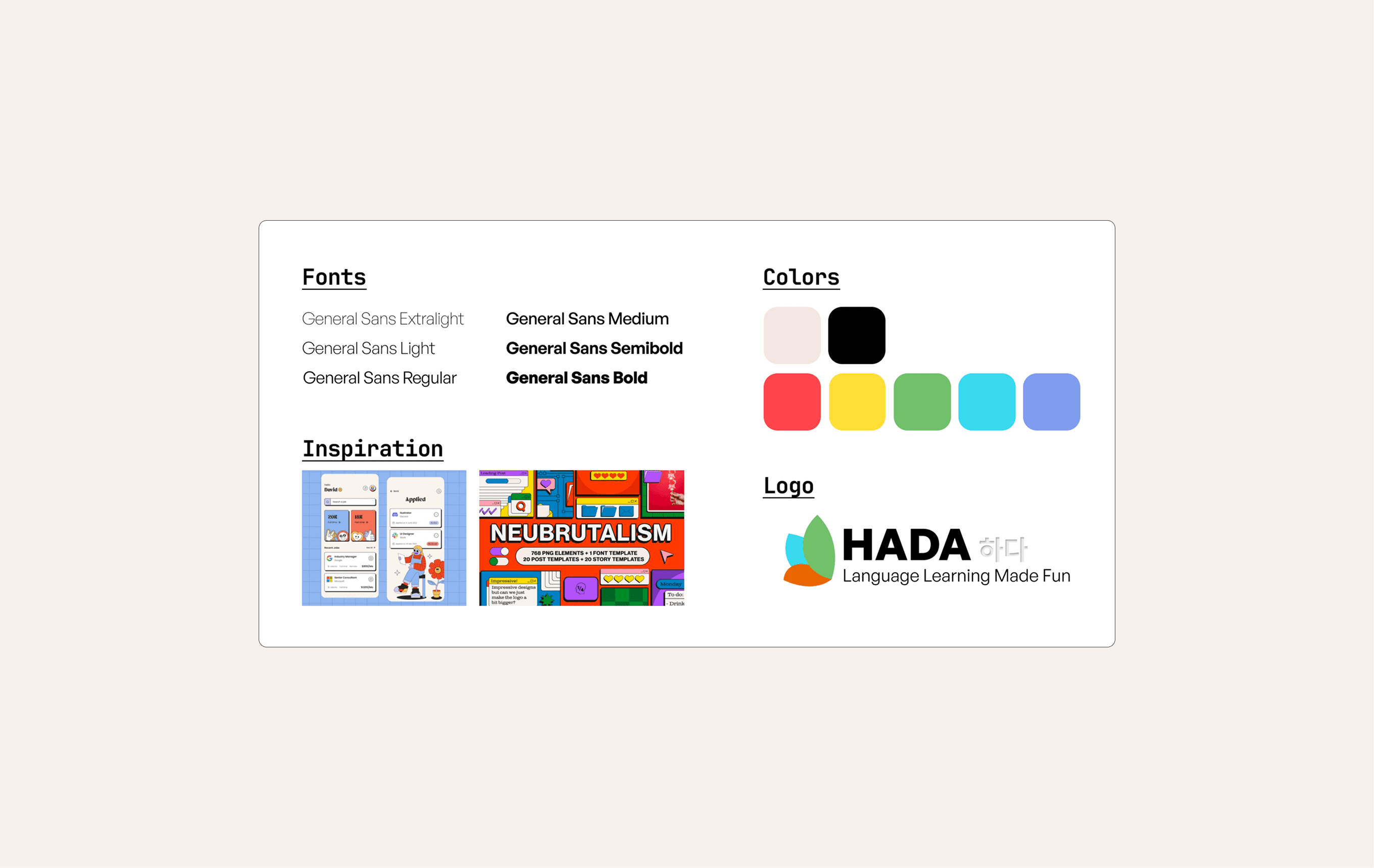
Because the engineers were still developing their front-end skills, I put together lightweight style guides to help them quickly understand spacing, typography, and component usage throughout the application.
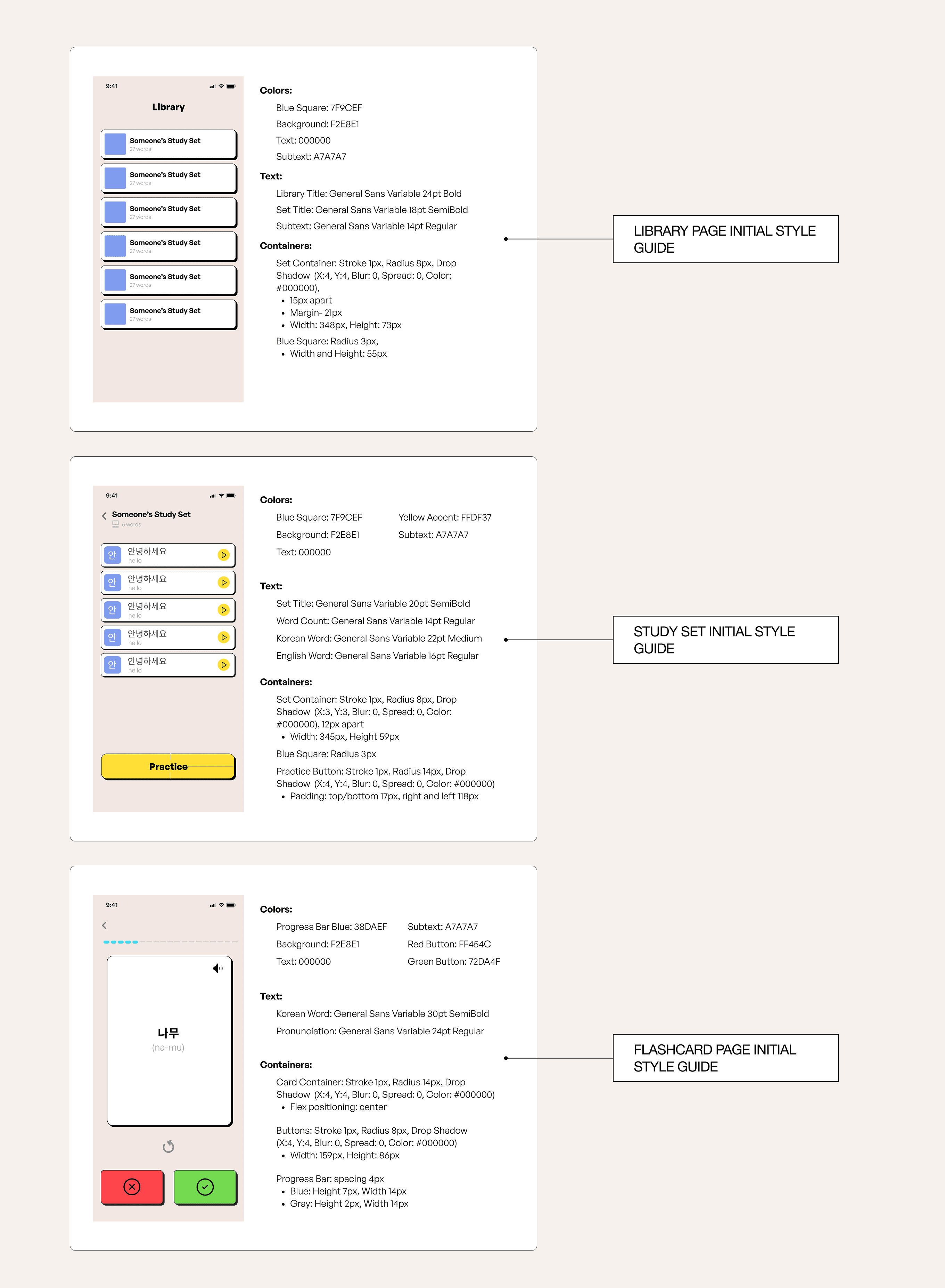
✅
the engineers greatly appreciated these
I created the generalized visual identity and component library using Figma, optimized for mobile responsiveness while in collaboration with the Innovator to get a better idea of what his vision was for the application
What we prioritized:
1.
Accessible and fun color palette
2.
Friendly but academic typography hierarchy
3.
Reusable components built for React Native and team scalability
Usability testing showed students preferred our system to the competitors'.
85%
said it felt more "mature" and "focused" compared to other flashcard tools
Phase 3: wireframing
We followed a highly iterative design approach to ensure the product remained user-centered at every stage.
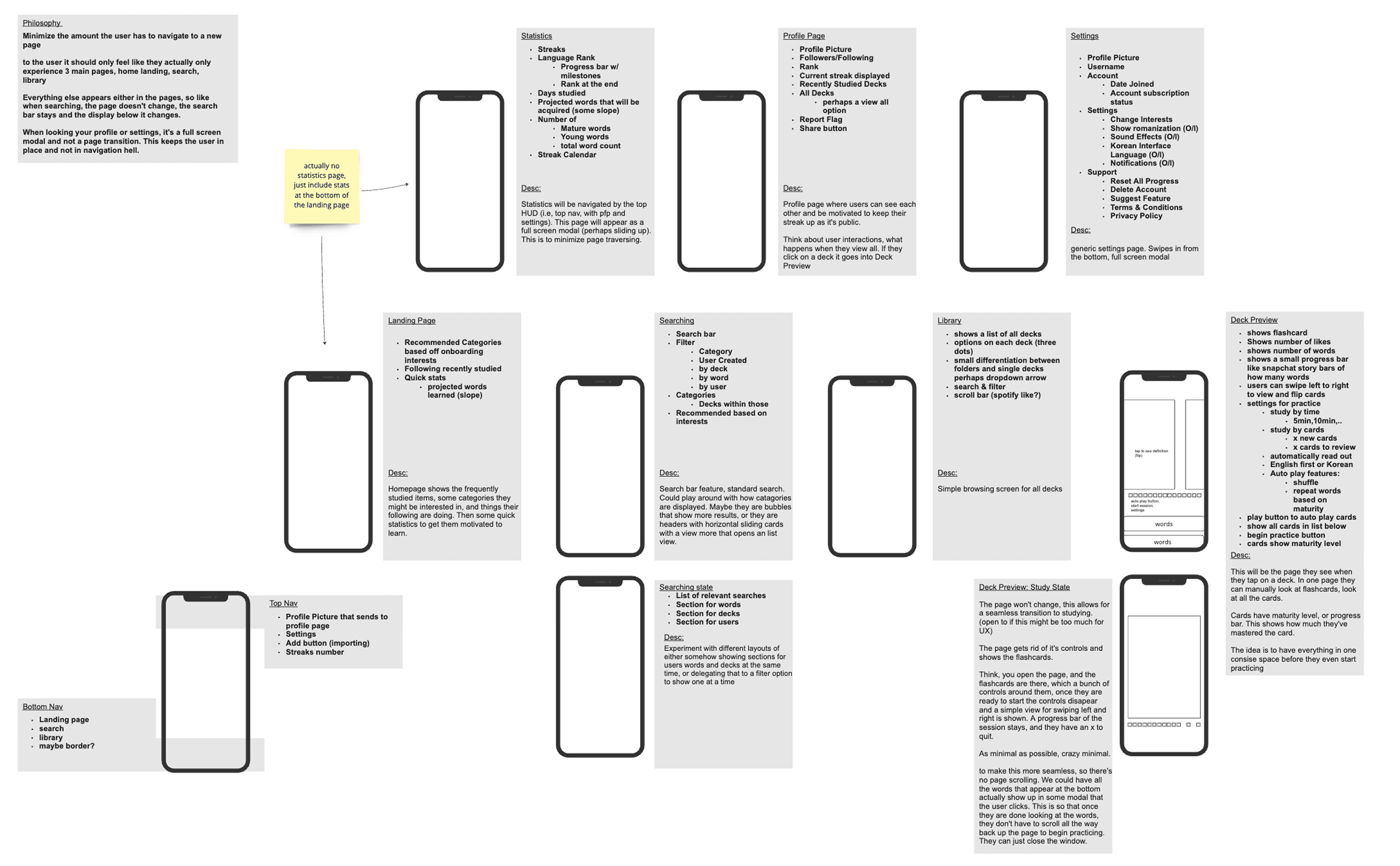

Sketches / Low Fidelity Wireframes
❌
Users did not feel like they would ever use the categories page
✅
Users did like the layout that was modeled after spotify
From the lo-fi frames, I began to structure the pages more, taking the initial feedback I received from both the user interviews and the development team based on what was technically feasible with the given timeline.
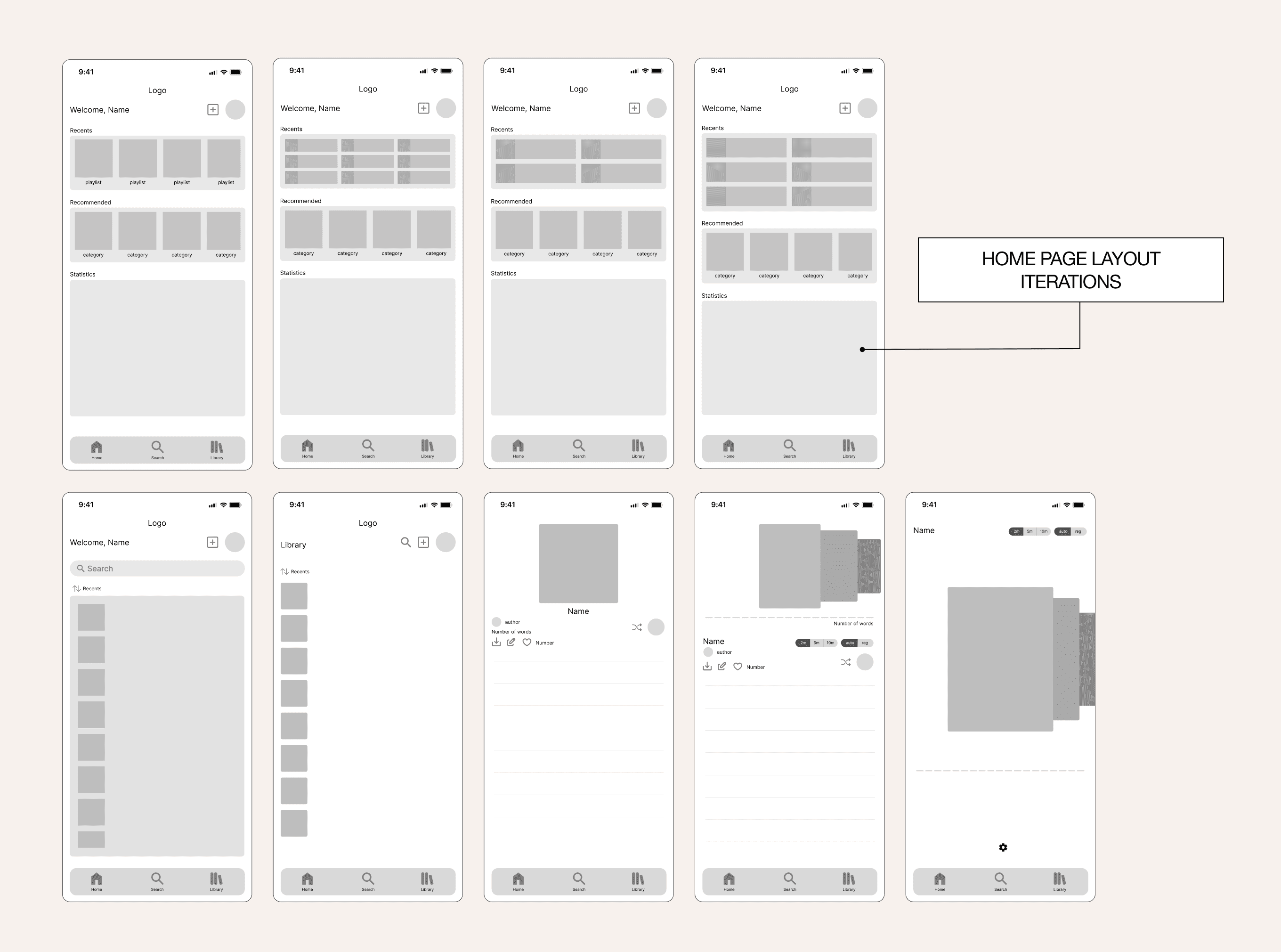

Mid fidelity Frames
Refinement
Designing the highest of fidelities
With validated concepts from earlier phases, I developed polished high-fidelity prototypes that brought the memorization experience to life. The final designs implemented our established visual identity through carefully crafted typography, color systems, and micro-interactions that reinforced learning progress.
I conducted A/B tests comparing different button styles and layout configurations to optimize for both usability and engagement. User feedback sessions revealed that participants found the interface intuitive and motivating, with several noting how the visual feedback made memorization feel more rewarding.
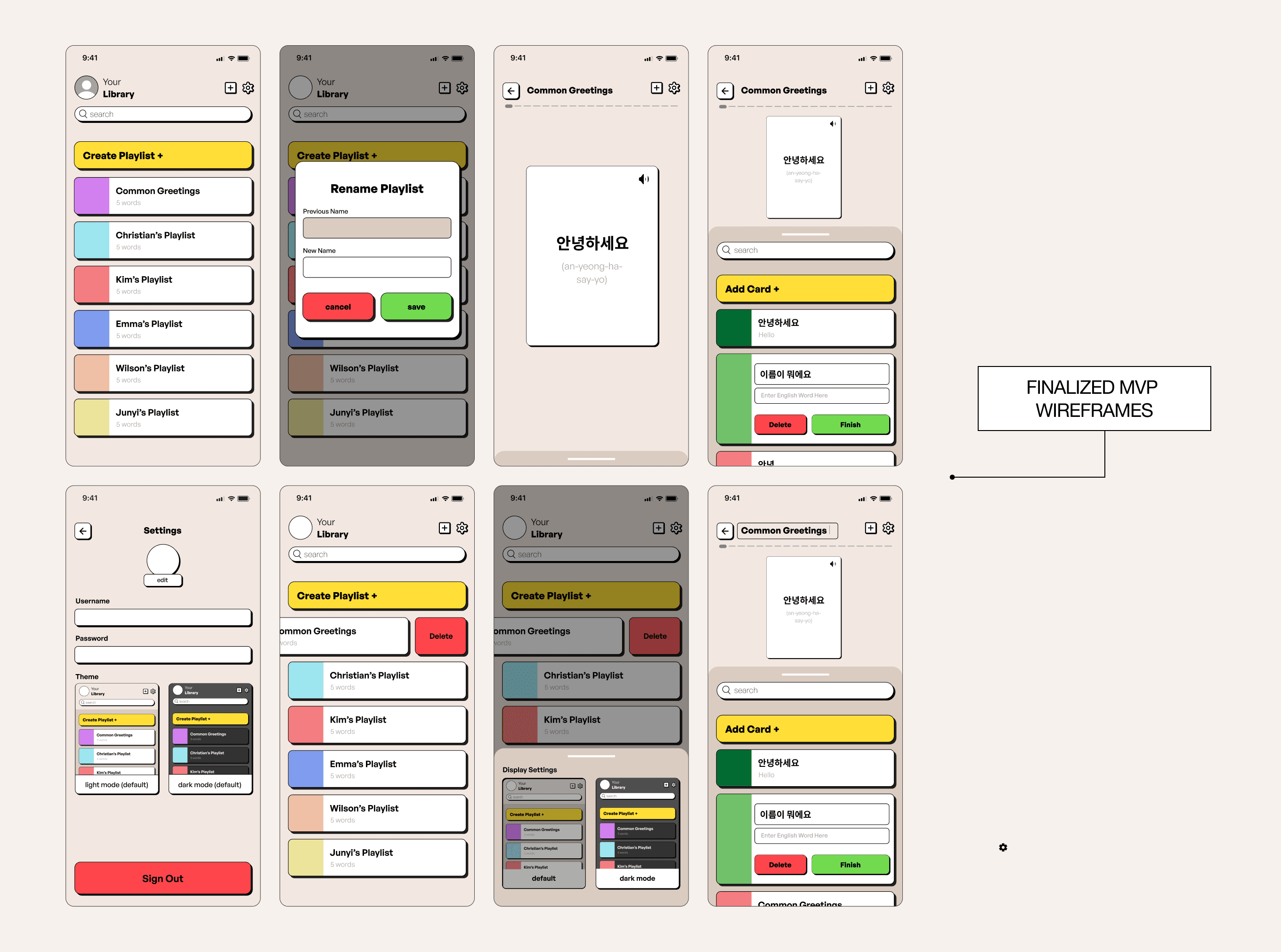
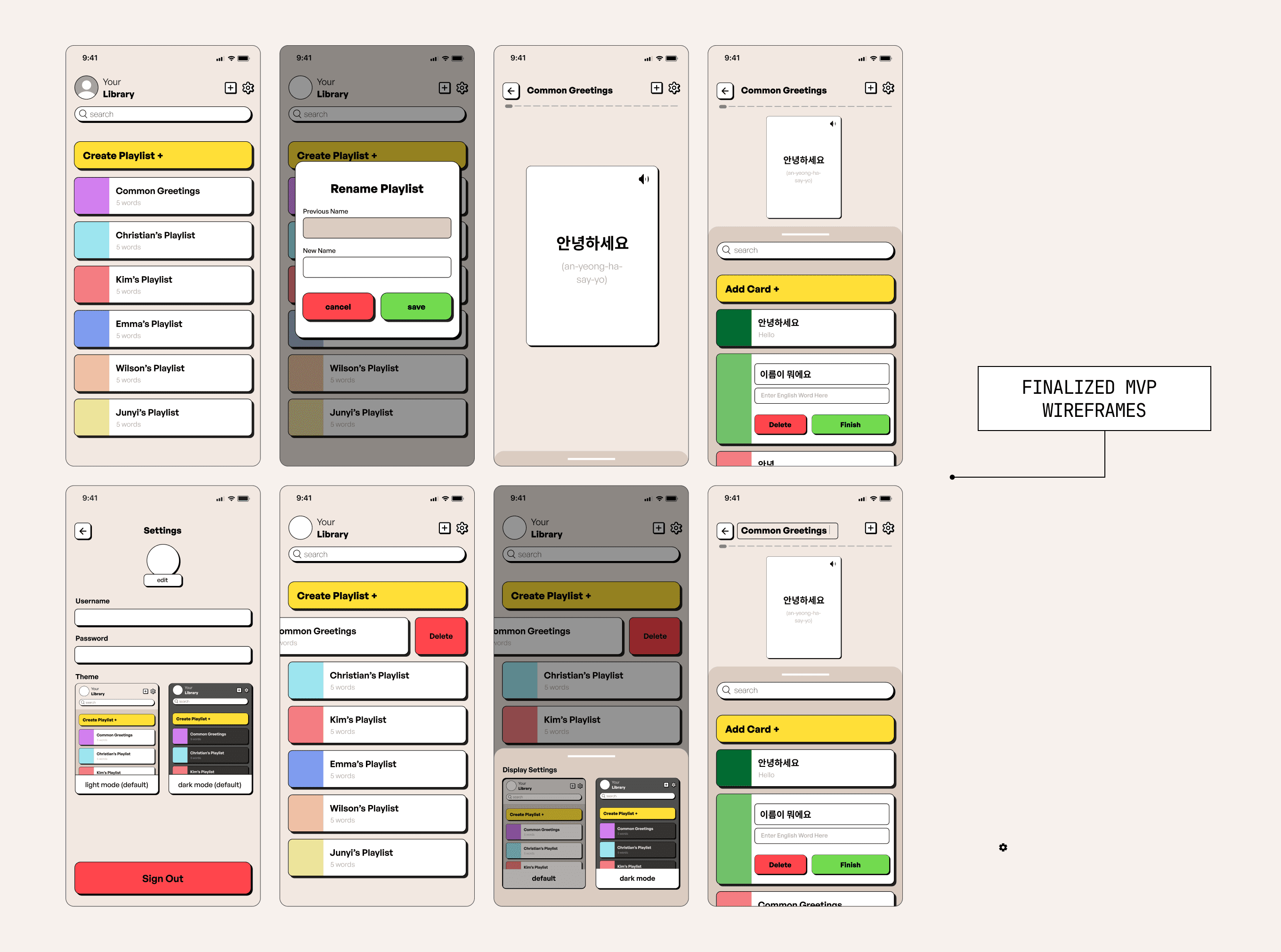
High fidelity Frames
Demo Day
presented our MVP live
In May 2024, we presented our MVP live during Spark! Demo Day to an audience of BU faculty, tech mentors, and fellow innovators. The opportunity to speak about our design process and research-driven decisions helped spotlight the unique potential of HADA.
Our MVP was a fully functioning mobile application that contained features such as a spatial repetition algorithm, card swiping animations, text to audio, and more.
So what happened?
1.
Demonstrated core features live on stage
2.
Spoke to over 20+ potential stakeholders including professors and learning coordinators
3.
Collected contact info from educators interested in a classroom beta release
This was a turning point. The overwhelmingly positive response validated our research, and gave us the green light for continued investment in the product.
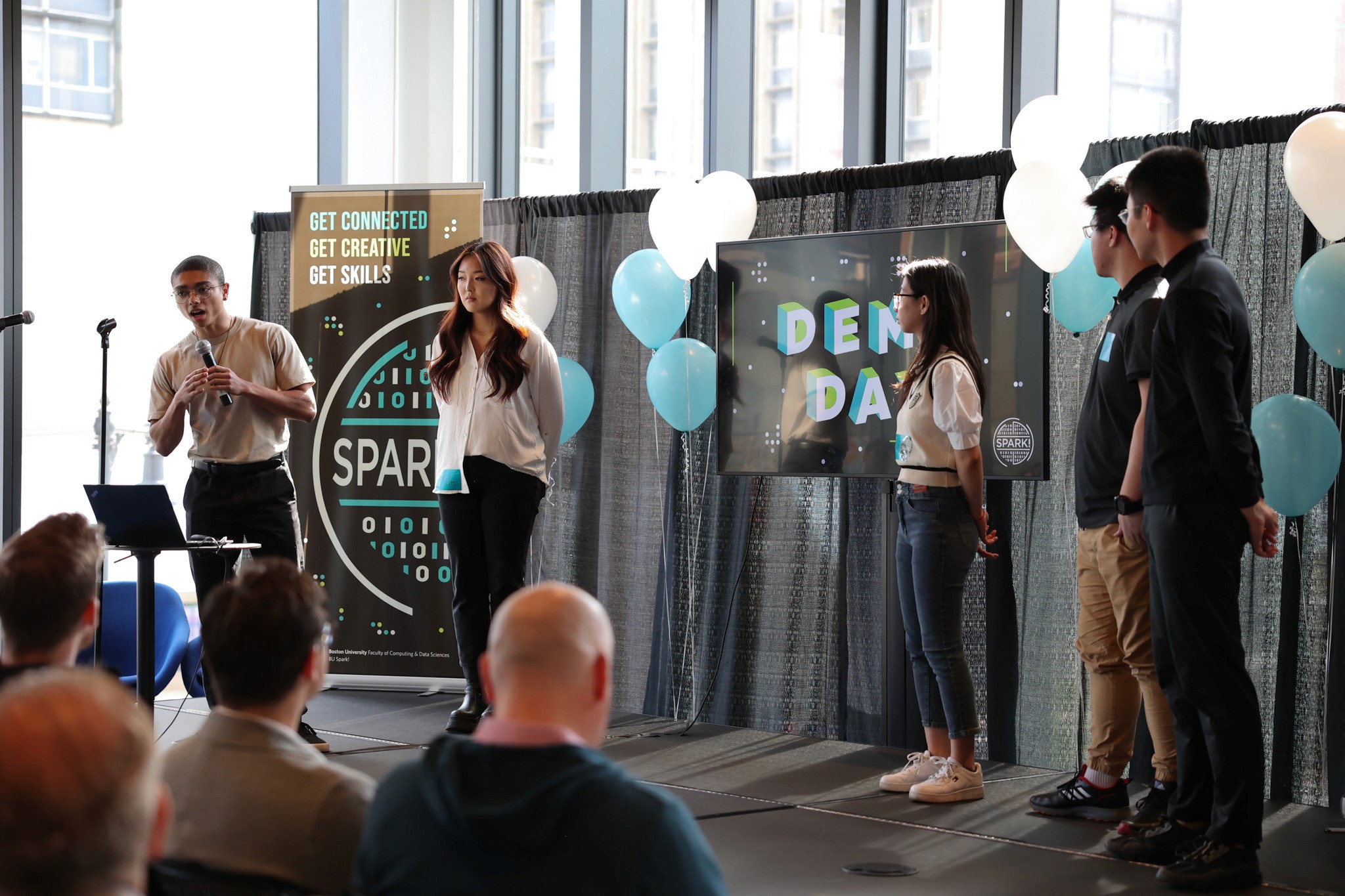
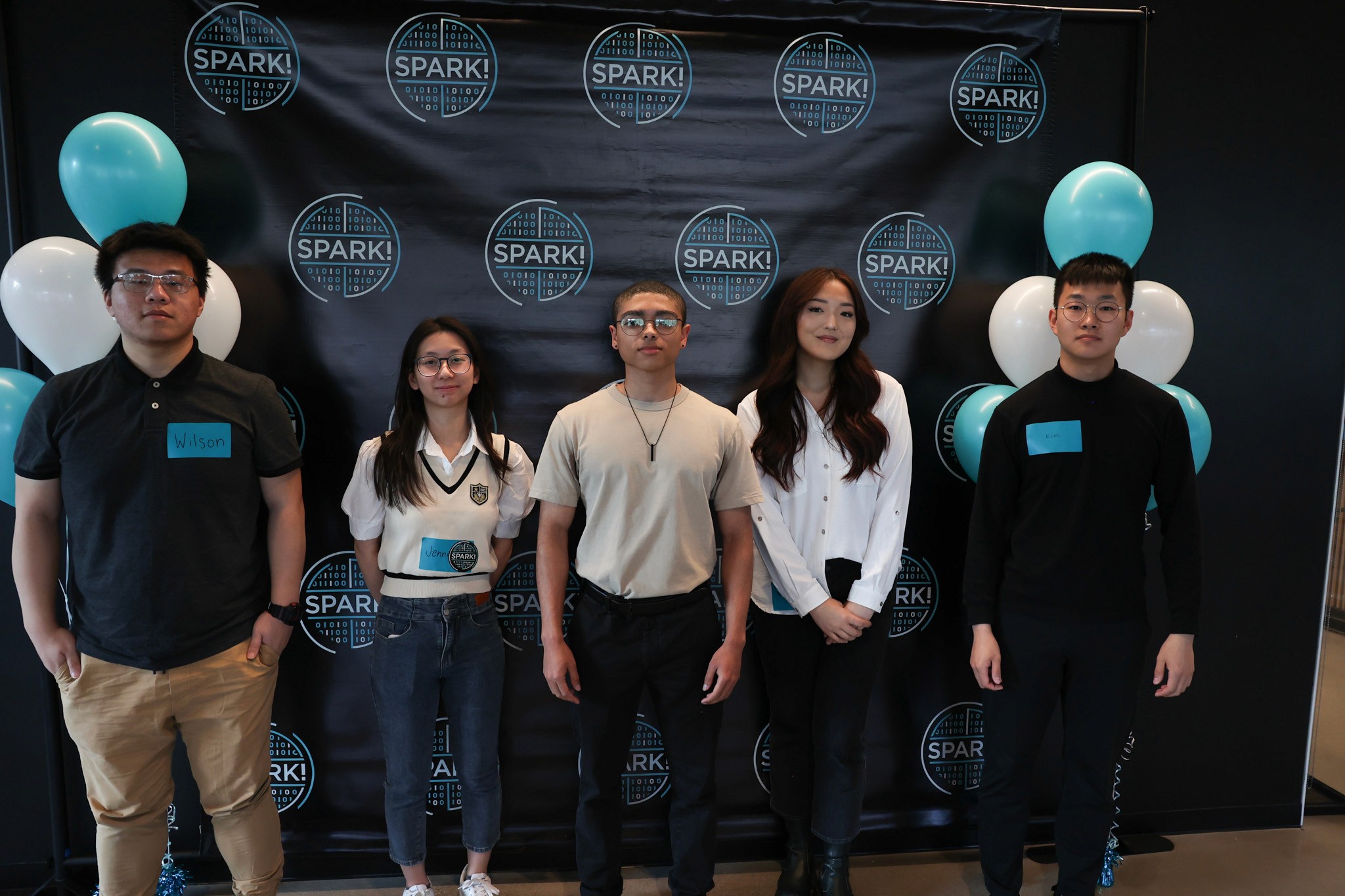
Post-demo surveys showed:
92%
believed HADA would improve their study habits
87%
wanted to replace their current flashcard tool
But that's not all!
Redesigning and Restructuring
From October 2024 onward, I refined the product as a solo UX project. Because we had a limited time, I wanted to utilize the feedback we received from the beta version to design a new mobile application and desktop application that took it all into account.
New Features
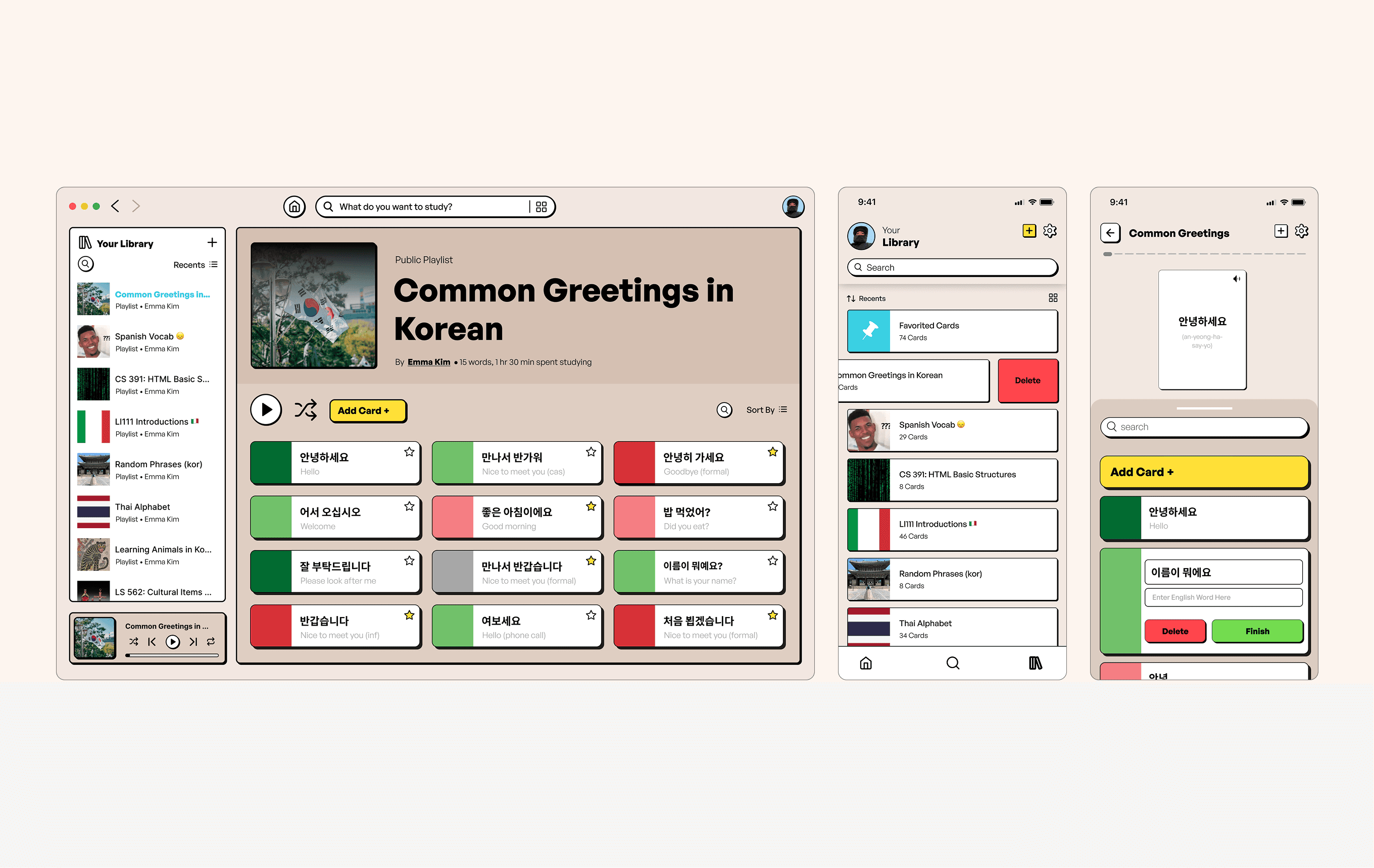
Desktop version for extended access
Mastery stats + deeper analytics
Explore/search by tags, users, classes
Library filters, sorting, grid view
Educational aspect for professor-linked classes
Process
Used design sprint cycles for feature testing
Weekly user feedback sessions (avg. 4 users/week)
Rolled out redesigned home and onboarding flows
The feedback and interest we received from educators and students directly informed the next stage of development: a solo-led redesign with more advanced, scalable features.
Based on user feedback from the MVP, I redesigned HADA to improve navigation, organization, and overall usability.
The new wireframes introduced a clearer structure for managing study sets, enhanced progress tracking, and layouts optimized for both mobile and desktop. The goal was to create a more flexible system that could better support students as their content and study needs grew.
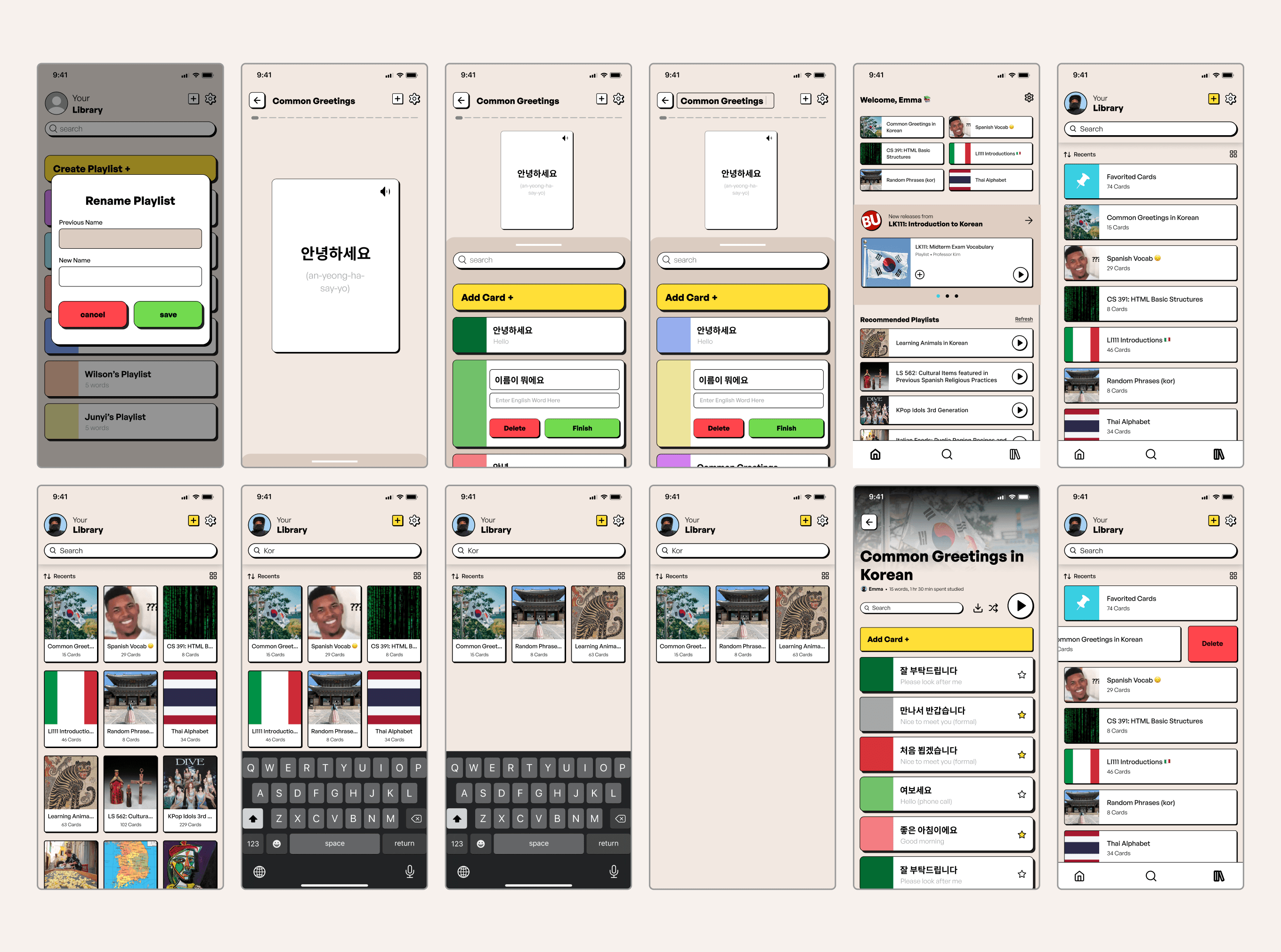
Redesigned High fidelity Frames
Adding Interactivity
To validate the new design direction, I built high-fidelity interactive prototypes that demonstrated how users would move through core study flows. These videos highlight the redesigned card interactions, navigation gestures, and progress visualizations that guide users through each session.
By simulating real usage, I was able to test pacing, feedback, and usability, ensuring the final experience felt intuitive, motivating, and easy to use.
Prototype: Playlist flow
Prototype: flashcard Learning flow
Prototype: Search and Onboarding
Prototype: New education feature and playlist search
✅
Educators responded positively to the collaborative study set feature, appreciating the ability to monitor student progress and ensure learners were studying accurate, instructor-approved content
✅
Students gave strong feedback on the desktop version, highlighting that it supported longer, more focused study sessions and made exploring and organizing large sets of content simpler and more efficient
That's all... for now!
Key Takeaways
Working on HADA was a hands-on lesson in how strong collaboration and problem solving turn ideas into real products.
As the sole designer on a small student team, I learned that great UX is not created in isolation—it emerges from constant communication between design, engineering, and user needs.
This project taught me that:
Collaboration is the core of successful products
Partnering closely with developers pushed me to think beyond ideal designs and consider technical constraints, timelines, and feasibility at every step.
Design is a conversation, not a handoff
Rather than simply delivering screens, I worked alongside engineers to break features into achievable components, adjust layouts based on limitations, and refine interactions in real time.
Most importantly, this project showed me how designers can act as connectors—translating user research into clear direction and helping engineers bring those ideas to life.
Measurable impact
25+ research participants informing product direction
40+ usability tests guiding iterative improvements
92% of users preferred HADA over existing flashcard tools
2.5x increase in memory retention using the redesigned study flows
91% task success rate after collaborative design iterations
30% reduction in development rework through early design system documentation